Product Reviews · Dealer Services
Machineryline Dealer Registration Review: Give Your Stock a Professional Sales Home
Present your machines clearly. Organise your stock. Make the next buyer enquiry easier to answer.
A buyer sees the machine. A well-prepared listing helps them see how it fits their work. For an equipment dealer, that means bringing photographs, specifications, company details and enquiry handling together in a clear presentation.
Machineryline dealer registration provides a route to discussing its PRO-account services. This review explains the confirmed tools and offers a practical way to prepare your business for the registration conversation.
Tell Machineryline about your business and discuss a package suited to your stock.
EXPLORE DEALER REGISTRATION →Request current pricing, included services and activation terms before selecting a package.

What Does Machineryline Dealer Registration Offer?
The official registration page lists PRO-account services including a company page, seller-directory inclusion, subscriber mailings and personal manager support. It also describes listing photographs and videos, stock import/export, enquiry statistics and message translation.
Use the application to explain the type and volume of stock you sell. Ask the manager to confirm the services, setup and price included in the proposed package.
Present Your Business and Its Stock Together
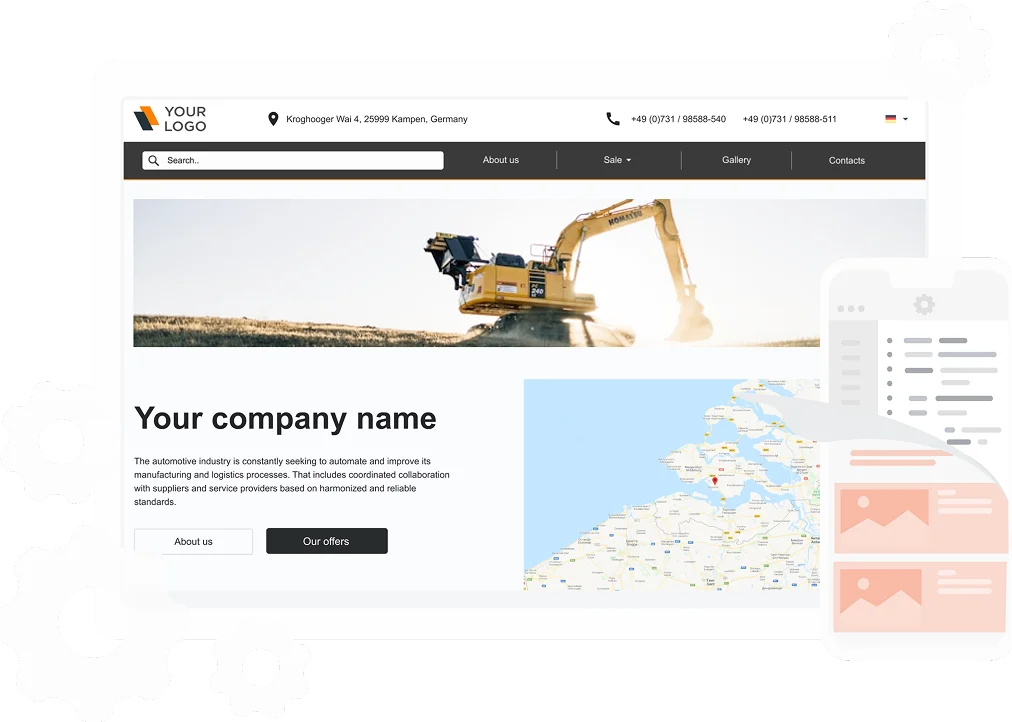
A Machineryline company page can display business information, contact details, location, company media and equipment listings. The seller directory provides searches by activity, brand and location.
For a buyer, a useful dealer presentation answers three immediate questions: what do you sell, where is the equipment, and who can explain it? Prepare those answers before uploading stock.
| Prepare this | Include these details | Why it helps the enquiry |
|---|---|---|
| Company profile | Your trading name, specialisms, location and working hours | Gives buyers a clear introduction to the business |
| Machine record | Exact model, year, configuration and stock reference | Keeps questions tied to the correct unit |
| Photograph set | Whole-machine views, identification details and included attachments | Shows what you are presenting for sale |
| Document pack | Available manuals, service records and relevant inspection documents | Supports a focused technical conversation |
| Enquiry contact | Responsible person and collection or delivery discussion points | Makes follow-up easier to organise |
Stock-Management Tools for Regular Sellers
Machineryline’s help pages describe automatic ad import and updates from an agreed source, together with export to other platforms. They also explain promoted ads and scheduled renewals.
If you already maintain a stock database or website, bring an example of its records to the manager. Agree which source will supply the listings, how updates will work and who will check new entries.
As an editorial recommendation, start with a small, well-documented group of machines. Review model names, photographs, price basis and contact details before extending the process to the rest of your stock. A consistent record format makes that review more manageable.
Tell Machineryline about your business and discuss a package suited to your stock.
REQUEST DEALER SERVICE DETAILS →Request current pricing, included services and activation terms before selecting a package.
See Which Listings Generate Enquiries
The registration page describes statistics for ad views, phone-number views, customer messages and messenger click-throughs, including country-based reporting. Its built-in translator supports communication across languages.
Decide what you will review each week. Look at the questions buyers ask and whether your team has the information needed to respond. If several enquiries request the same dimension or attachment detail, add that confirmed information to your listing-preparation checklist.
This is a practical way to improve presentation using real buyer questions. Treat the statistics as activity measures and keep a separate record of quotations, inspections and completed sales.
A Website Option Connected to Your Listings
Machineryline’s website-service page describes a responsive dealer website with stock synchronisation, design choices and domain options. It also lists configurable pages, contact display, languages and analytics integration.
If this service interests you, prepare your logo, business description and preferred domain. Ask which setup tasks the package covers and how existing stock information will move into the website.
Explain Safety Features With Confirmed Information
Dealer registration is a sales-presentation service. Safety systems belong to the actual equipment you advertise, so describe installed features using the relevant manufacturer documentation and machine records.
For example, Liebherr explains that VarioBase calculates lifting capacities for a variable support base and integrates with its LICCON job planner. A dealer presenting a suitably equipped crane can identify the installed system and provide the applicable documentation.
Watch a Manufacturer Example: Liebherr VarioBase
Embedded manufacturer video illustrating a crane-technology explanation. It is not a dealer-account tutorial and does not establish the equipment fitted to any sale machine.
Machineryline’s safety guidance also recommends protecting account credentials and completing payment and transfer-document checks. Use that guidance when organising your team’s listing and handover responsibilities.
How to Begin Dealer Registration
The official page outlines an application, manager contact, package selection and sales-page creation.
- Prepare your business details: trading name, contact person, international-format phone number, email and website.
- Describe your stock: explain the equipment categories you sell and your intended listing volume.
- Discuss the services: request the current price, included tools, setup requirements and activation terms.
- Prepare your first listings: assemble accurate records and original photographs for the equipment you plan to advertise.
Assign one team member to keep the setup conversation and stock information together. That gives the manager a clear point of contact and your business a straightforward launch plan.
Our Review Verdict
Machineryline dealer registration is worth exploring for equipment businesses seeking a company page and tools for organising online stock presentation. The most useful approach is to bring a clear brief: the machines you sell, the information you maintain and the enquiry process you want to support.
Start the conversation with your requirements, confirm the package and prepare a consistent set of listings. That turns registration into a practical business step.
Tell Machineryline about your business and discuss a package suited to your stock.
VIEW MACHINERYLINE DEALER REGISTRATION →Request current pricing, included services and activation terms before selecting a package.
Frequently Asked Questions
Is dealer registration the same as buying machinery?
No. This page concerns services for sellers. Our Machineryline marketplace review explains the buyer-search workflow.
What should I ask about pricing?
Request a current proposal covering your listing volume, chosen services and setup. Machineryline’s help pages identify ad placement as a paid service.
Can stock updates come from an existing website?
Machineryline documents automatic import and updates. Discuss your source and the agreed configuration with the manager.
What makes a useful machinery listing?
A clear identification of the unit, confirmed specifications, original photographs, available documents and a named contact for technical questions.
Sources and Editorial Information
- Machineryline: official dealer-registration services
- Machineryline: searchable company directory
- Machineryline: dealer website service
- Machineryline: advertising services and account guidance
- Machineryline: published account and transaction guidance
- Liebherr: VarioBase manufacturer information
Researched on 9 October 2026. Confirm current services and package terms during your enquiry. Our preparation suggestions are editorial guidance, not promises of leads or sales.
HSSE TIPS — Worksite Safety Hub
Every Task. Every Person. Home Safe.
Your experience matters
Share your thoughts on this page
Have a question, a useful experience or a suggestion? Add your input below.
Comments are public. Keep them respectful and relevant. Do not share contact details, confidential information or emergency reports.
Comments on this page
Loading comments…