Product Reviews · Dealer Services
Agroline Dealer Registration Review: Put Your Farm Equipment Business in View
Give buyers a clear picture of your business, your stock and the next step in their enquiry.
Your equipment deserves a presentation as organised as your business. A farmer researching a tractor, a contractor looking for a baler or a workshop sourcing a part needs clear information and a contact who can answer the next question.
Agroline dealer registration offers agricultural equipment businesses a way to present their company and organise online stock advertising. The useful question is how its services fit your inventory, your team and the enquiries you want to handle.
Introduce your equipment business and discuss a service package with Agroline.
EXPLORE AGROLINE DEALER REGISTRATION →Request current pricing, included services and setup terms for your business.
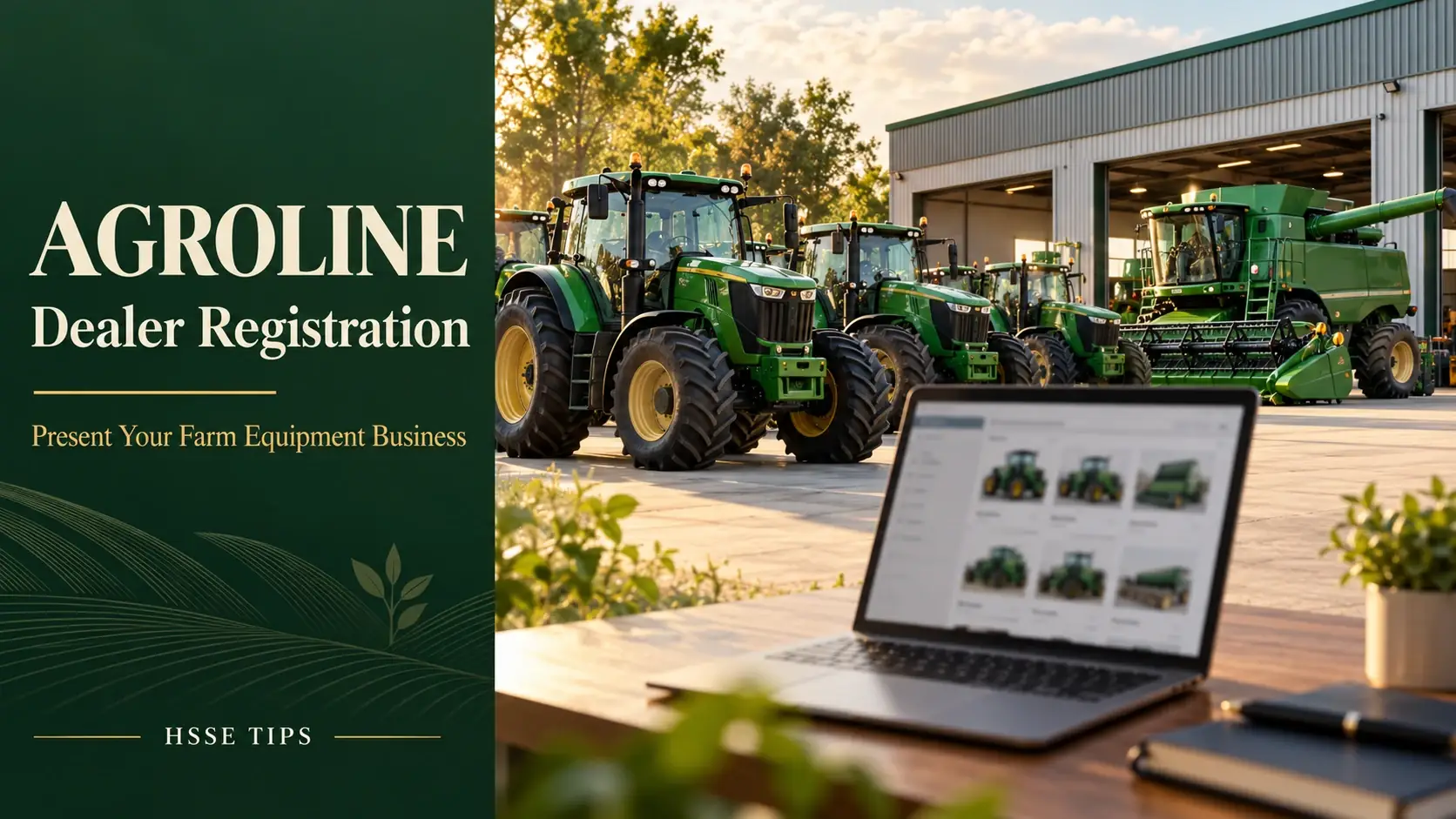
What Is Agroline Dealer Registration?
Agroline’s official registration page describes PRO-account services including a company page, seller-directory entry, website options, subscriber distribution and personal-manager support.
This is a service for businesses advertising equipment. Our Agroline marketplace review covers the separate workflow for buyers researching farm machinery and parts.
Present the Business Behind Your Stock
The company-page service brings together business information, contacts, location and advertisements. The registration page also describes company photographs and videos, opening hours and a map.
Prepare a concise introduction that explains what you sell and whom you serve. Use your trading name consistently and identify the person who handles equipment questions. A useful company description can cover your main categories, the location of your stock and how buyers can arrange a viewing.
For a parts supplier, organise the introduction around the makes and component types you handle. For a machinery dealer, make the enquiry process clear: who responds, where equipment is located and what information buyers should send.
Match the Tools to Your Dealership Workflow
Agroline publishes advertising and automation options such as translated listings, stock import/export, ad statistics, promoted ads and social-media export. Discuss the included services and configuration for your proposed package.
| Your business priority | Service to discuss | Prepare for the conversation |
|---|---|---|
| Explain who you are | Company page and seller directory | Logo, business description, location and contact details |
| Present individual units | Equipment advertisements | Stock references, confirmed specifications and original media |
| Maintain changing inventory | Import and update arrangements | Your current stock source and the person responsible for it |
| Review enquiry activity | Ad statistics | A regular review schedule and your own enquiry record |
| Develop a business website | PRO-account website option | Domain preference, branding and required business pages |
Start With a Repeatable Stock Record
Give every machine or component a clear internal reference. Keep its identification details, confirmed configuration, location, price basis, photographs and available records together.
For example, a combine listing can identify the particular unit and supplied header, while a parts listing can provide the exact component reference. This lets the sales contact answer questions against a specific stock record.
Agree who keeps the record current. A consistent process helps your team carry the same confirmed information from the advertisement into quotations and handover discussions.
Introduce your equipment business and discuss a service package with Agroline.
VIEW THE DEALER REGISTRATION PAGE →Request current pricing, included services and setup terms for your business.
Make Stock Updates Part of the Setup
The official dealer page describes automatic imports and recurring updates from an agreed source. It also describes exporting advertisements and a built-in message translator.
Take a sample of your inventory data to the setup discussion. Ask which fields are needed, how images will be supplied and how your team should handle an item that has been sold or moved. If you already maintain a website or stock system, explain that workflow before choosing the integration.
Set up a clear routine for enquiries as well. Record the advertisement reference, buyer’s intended use, requested details and next agreed action. Translation tools can support the conversation; your technical reply should still identify the exact equipment being discussed.
Use Statistics to Guide Your Listing Work
Agroline’s registration page lists company and advertisement statistics for views, phone-number views, customer messages and messenger clicks, including activity by country.
Review these measures alongside your own sales records. Keep track of which enquiries turn into technical discussions, viewings or quotations. If several buyers ask the same question, add the confirmed answer to your listing-preparation checklist.
This gives your team a practical review cycle: publish accurate information, answer enquiries and refine the information buyers need. A dashboard records platform activity; your business records the subsequent sales steps.
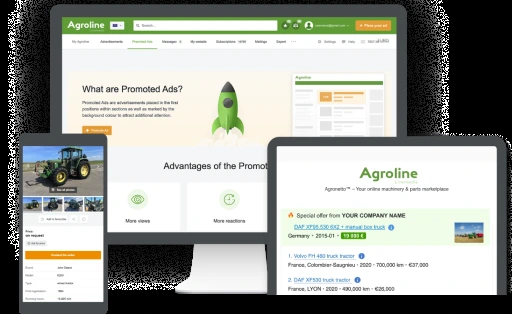
A Website Option for Your Equipment Business
Agroline describes a website service for PRO users, with the option of a company domain or Agroline subdomain. Its official website-service page presents responsive display and synchronisation with marketplace stock.
Prepare your logo, preferred domain and business-page requirements. Ask the manager to explain the setup, stock connection and responsibilities for keeping information current. That makes the discussion concrete whether you are establishing a first website or organising another channel for your inventory.
Build Confidence With Confirmed Information
Account and Listing Guidance From Agroline
Agroline’s help pages describe advertisement moderation that checks photographs, content and seller details. Its account-security guidance recommends keeping credentials private and checking website addresses before entering account information.
The published listing rules call for accurate specifications and photographs of the actual goods. Prepare original equipment media and use the machine’s records to support the description. Assign clear responsibilities for your company information and listing updates.
Explain Equipment Safety Features Precisely
Dealer registration is an advertising service; installed safety-related features belong to the machine you list. A strong equipment description identifies those features and points buyers to the relevant documentation.
As a manufacturer example, Fendt’s current 900 Vario page describes electrically adjustable comfort mirrors, heating and position lights associated with the EU comfort-mirror package to support visibility when turning. It also describes an optional bonnet camera that assists implement installation.
When presenting a tractor, confirm the model year and fitted equipment. Describe the feature on that particular unit and supply the applicable manufacturer information.
Watch: Agroline’s Official Platform Introduction
Embedded Linemedia platform overview in German. It introduces Agroline; it is not a step-by-step dealer-account tutorial. Refer to the current official pages for services and package terms.
How to Begin Agroline Dealer Registration
The official process runs from application to manager contact, package selection and sales-page creation.
- Gather your business details. Prepare your company name, contact person, international-format phone number, email and website.
- Explain your inventory. Identify the agricultural categories you sell and your expected listing volume.
- Discuss your preferred workflow. Explain how you maintain stock, handle enquiries and present photographs.
- Confirm the proposal. Request current pricing, included services, setup requirements and activation terms.
- Prepare your first advertisements. Assemble the verified information and original media for the units you intend to list.
Bring a short written brief to the conversation. It gives the manager a practical starting point and helps your team organise the next steps.
Our Review Verdict
Agroline dealer registration is worth exploring for agricultural equipment businesses looking to organise their company presence and stock advertising. Its published services address several everyday dealer tasks, from presenting inventory to managing updates and reviewing enquiries.
Start with your own workflow: what you sell, how you maintain the information and how buyers reach your team. Then discuss the package that fits those requirements and prepare a consistent launch set of listings.
Introduce your equipment business and discuss a service package with Agroline.
START YOUR AGROLINE DEALER ENQUIRY →Request current pricing, included services and setup terms for your business.
Frequently Asked Questions
Who should consider dealer registration?
Agricultural machinery dealers, implement sellers and parts businesses planning regular stock advertising.
How do I find the current cost?
Request a proposal based on your inventory and chosen services during the manager discussion.
Can I discuss an existing inventory source?
Yes. Agroline describes import and update services. Explain your source and agree the setup with the manager.
What should my first listing contain?
Identify the actual unit, its confirmed configuration, location, price basis, original media and the contact for further questions.
Sources and Editorial Information
- Agroline: official dealer-registration services
- Agroline: advertising and automation tools
- Agroline: website service
- Agroline: profile and listing guidance
- Agroline: account-security guidance
- Agroline: listing rules and service terms
- Fendt: official 900 Vario equipment information
Researched on 9 October 2026. Confirm current package details during your enquiry. Our preparation suggestions are editorial guidance and do not promise a particular number of enquiries or sales.
HSSE TIPS — Worksite Safety Hub
Every Task. Every Person. Home Safe.
Your experience matters
Share your thoughts on this page
Have a question, a useful experience or a suggestion? Add your input below.
Comments are public. Keep them respectful and relevant. Do not share contact details, confidential information or emergency reports.
Comments on this page
Loading comments…